Best Benefits Administration Software 2026
A detailed comparison of the top benefits administration platforms to help you streamline enrollment, ensure compliance, and deliver a better employee benefits experience.
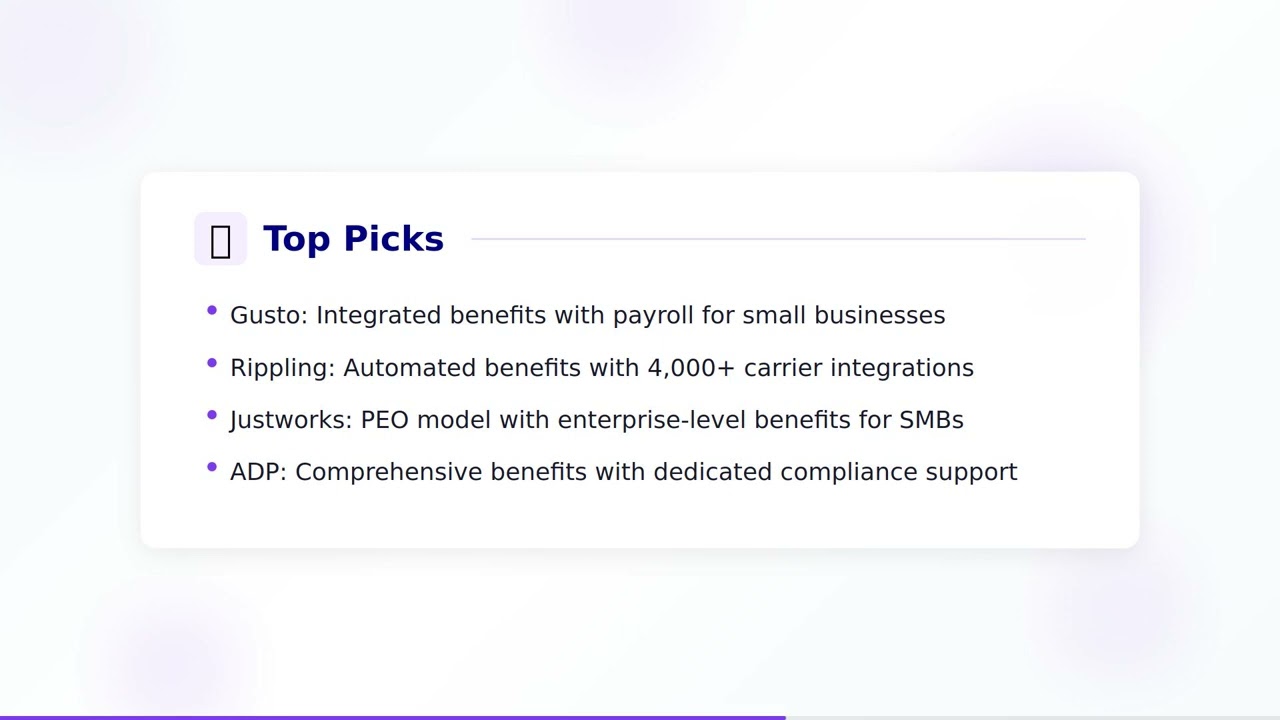
Watch: Benefits Administration Software Guide
Comparison Criteria
Pricing
$ = Budget (Under $5/user/mo)
$$ = Mid-range ($5-15/user/mo)
$$$ = Premium ($15-25/user/mo)
$$$$ = Enterprise (Custom pricing)
User Rating
Based on verified reviews across G2, Capterra, and TrustRadius platforms. Rating out of 5.
Usability
Ease of use rating based on user interface intuitiveness, onboarding experience, and admin complexity.
Company Size
The ideal organization size where the solution performs best based on features, scalability, and pricing.
1. Gusto
- Health insurance marketplace
- 401(k) and retirement plans
- Workers comp
- HSA/FSA administration
- Employee self-service portal
- Limited enterprise capabilities
- Primarily US-focused
- Basic reporting
- No global benefits
2. Rippling
- Automated benefits enrollment
- 4000+ insurance plans
- COBRA administration
- ACA compliance
- Unified with payroll and IT
- Premium pricing
- Can be complex for very small teams
- Some modules cost extra
- Implementation time
3. Zenefits (TriNet)
- Benefits shopping
- Automated enrollment
- Life and disability insurance
- Compliance tools
- PEO option available
- Carrier options vary by state
- Customer support mixed reviews
- Some features removed after TriNet acquisition
- Limited enterprise features
4. BambooHR
- Benefits tracking
- Open enrollment management
- Employee self-service
- Payroll integration
- Document management
- Not a full benefits broker
- Limited insurance marketplace
- Basic benefits reporting
- Fewer carrier integrations
5. Paylocity
- Benefits administration
- Open enrollment wizard
- ACA compliance
- Benefits carrier connectivity
- Employee self-service
- Implementation quality varies
- Some reporting limitations
- Add-ons increase cost
- Primarily US market
6. ADP TotalSource
- Fortune 500-level benefits access
- PEO and co-employment
- Risk management
- Compliance support
- HR outsourcing
- PEO model not for everyone
- Higher cost
- Less flexibility than standalone tools
- Contract commitments
7. Namely
- Managed benefits service
- Enrollment and life events
- Compliance management
- Benefits analytics
- Payroll integration
- Mixed customer support reviews
- Platform stability concerns
- Higher cost for smaller teams
- Limited global capabilities
8. Justworks
- PEO with large-group benefits rates
- Health dental and vision
- 401(k) plans
- Workers comp
- Compliance and HR tools
- PEO model not for all
- Limited to US
- Some restrictions on plan customization
- Price scales with headcount
9. PlanSource
- Benefits marketplace
- Automated enrollment
- Decision support tools
- ACA compliance
- Benefits communication
- Implementation can be complex
- UI could be more modern
- Limited HRIS features
- Requires integration with payroll provider
10. Benefitfocus
- Benefits marketplace
- AI-driven enrollment guidance
- Total compensation statements
- Compliance reporting
- Multi-carrier connectivity
- Complex implementation
- Enterprise pricing
- Steep learning curve
- Better for 500+ employees
How to Select the Right Benefits Administration Software
Evaluate Your Benefits Complexity
Start by assessing the scope of benefits your organization offers. If you provide a simple package of health insurance and a 401(k), a streamlined platform like Gusto or Justworks may be sufficient. If you manage multiple carrier relationships, voluntary benefits, HSA/FSA accounts, and multi-state compliance, you will need a more robust solution like Rippling, PlanSource, or Benefitfocus that can handle complex enrollment rules and carrier connectivity.
Consider the PEO vs. Software Decision
One of the most important decisions is whether to use a PEO (Professional Employer Organization) or standalone benefits software. PEOs like ADP TotalSource and Justworks become co-employers of your staff, giving small businesses access to large-group benefits rates that would otherwise be unavailable. However, PEOs come with less flexibility and control. Standalone platforms like PlanSource or BambooHR let you manage your own plans but require you to negotiate rates directly with carriers.
Prioritize Employee Self-Service
Modern benefits platforms should empower employees to manage their own benefits with minimal HR intervention. Look for intuitive self-service portals where employees can compare plans, enroll in coverage, update dependents, and access benefits information on any device. Decision support tools that help employees choose the right plan based on their needs can significantly improve enrollment outcomes and reduce HR support tickets during open enrollment.
Check Compliance Capabilities
Benefits compliance is increasingly complex, with ACA reporting, COBRA administration, HIPAA requirements, and state-specific mandates all demanding attention. The right platform should automate compliance tracking, generate required filings, and alert you to regulatory changes. This is especially critical for companies operating across multiple states or those approaching the ACA employer mandate threshold of 50 full-time equivalent employees.
Assess Integration with Payroll and HRIS
Benefits administration does not exist in a vacuum. Deductions need to flow to payroll, eligibility changes need to sync with your HRIS, and carrier feeds need to update in real time. Platforms like Rippling and Paylocity that bundle benefits with payroll can simplify this significantly. If you use a standalone benefits platform, verify that it offers robust integrations with your existing payroll and HR systems to avoid manual data entry and reconciliation errors.
Current Trends in Benefits Administration Technology
AI-Powered Plan Recommendations
Artificial intelligence is transforming the enrollment experience by analyzing employee demographics, past claims data, and individual preferences to recommend optimal benefit plans. Platforms like Benefitfocus now offer AI-driven enrollment guidance that helps employees make better decisions, reducing both under-insurance and wasted spending on unnecessary coverage.
Total Rewards Visibility
Leading benefits platforms now provide total compensation statements that show employees the full value of their benefits package alongside their salary. This transparency helps organizations demonstrate their investment in employees, improve retention, and make benefits a more effective recruiting tool. Expect to see this become a standard feature across all major platforms by 2027.
Expanded Voluntary Benefits
Benefits platforms are expanding beyond traditional health and retirement plans to include pet insurance, student loan repayment, identity theft protection, legal services, and financial wellness programs. The best benefits administration software now supports a wide range of voluntary benefits with automated enrollment and payroll deductions, allowing companies to offer personalized packages without adding administrative complexity.
Year-Round Engagement
Benefits administration is shifting from a once-a-year open enrollment event to a continuous engagement model. Modern platforms now deliver personalized nudges, wellness program reminders, and educational content throughout the year to help employees maximize their benefits. This approach improves utilization rates and ensures employees are getting the most value from the benefits their employer provides.
API-First Carrier Connectivity
Real-time data exchange between benefits platforms and insurance carriers is replacing traditional EDI file transfers. API-first connectivity reduces enrollment errors, speeds up coverage activation, and provides instant confirmation to employees. This trend is particularly important for organizations managing multiple carriers, as it eliminates the lag and reconciliation issues that plague older systems.
Mental Health and Wellbeing Integration
Employee wellbeing has become a central pillar of benefits strategy. Benefits platforms now integrate with EAP providers, mental health apps, and wellness programs to provide a holistic view of employee wellbeing benefits. Companies are increasingly using their benefits platform as a hub for all employee support resources, making it easier for employees to find and access the help they need.
Frequently Asked Questions
What is benefits administration software?
Benefits administration software is a platform that helps organizations manage employee benefits programs including health insurance, retirement plans, HSA/FSA accounts, and other perks. It automates enrollment, tracks eligibility, ensures compliance with regulations like ACA and COBRA, and provides self-service portals for employees to view and manage their benefits. These tools replace manual spreadsheets and paperwork, reducing errors and saving HR teams significant time during open enrollment and throughout the year.
How much does benefits administration software cost?
Benefits administration software typically costs between $5 and $25 per employee per month depending on the platform and features included. Budget-friendly options like Gusto and Zenefits start around $6-10 per employee per month, while premium platforms like Rippling and Benefitfocus can cost $15-25+ per employee monthly. Enterprise solutions often use custom pricing based on company size and feature requirements. PEO models may bundle benefits administration into a broader per-employee fee that also includes payroll and compliance services.
What is the difference between a PEO and standalone benefits software?
A PEO (Professional Employer Organization) like ADP TotalSource or Justworks becomes a co-employer of your staff, allowing you to access large-group benefits rates typically reserved for bigger companies. Standalone benefits software like PlanSource or Benefitfocus helps you administer your own benefits plans without co-employment. PEOs are often ideal for small businesses wanting Fortune 500-level benefits, while standalone platforms offer more flexibility and control for mid-size to large organizations that want to choose their own carriers and plan designs.
What features should I look for in benefits administration software?
Key features to look for include automated enrollment workflows, employee self-service portals, ACA and COBRA compliance tools, carrier connectivity for real-time data exchange, life event management, decision support tools to help employees choose plans, mobile accessibility, reporting and analytics, and integration with your existing payroll and HRIS systems. If you operate in multiple states, also consider the breadth of carrier options available. For growing companies, scalability and the ability to add voluntary benefits over time are also important considerations.
How long does it take to implement benefits administration software?
Implementation timelines vary depending on the complexity of the platform and your organization's size. Simple cloud-based solutions like Gusto or Justworks can be set up in 1-2 weeks. Mid-range platforms like BambooHR or Paylocity typically take 4-8 weeks. Enterprise solutions like Benefitfocus or PlanSource may require 2-4 months for full implementation including carrier integrations, data migration, and employee training. Planning implementation around your open enrollment period is recommended to ensure a smooth transition and adequate time for testing.
Need Help Selecting the Right Benefits Administration Software?
Our HR technology experts can provide personalized recommendations based on your organization's benefits complexity, employee count, compliance requirements, and integration needs.