Best Employee Scheduling Software 2026
A detailed comparison of the top employee scheduling platforms to help you streamline shift management, reduce labor costs, and keep your team connected.
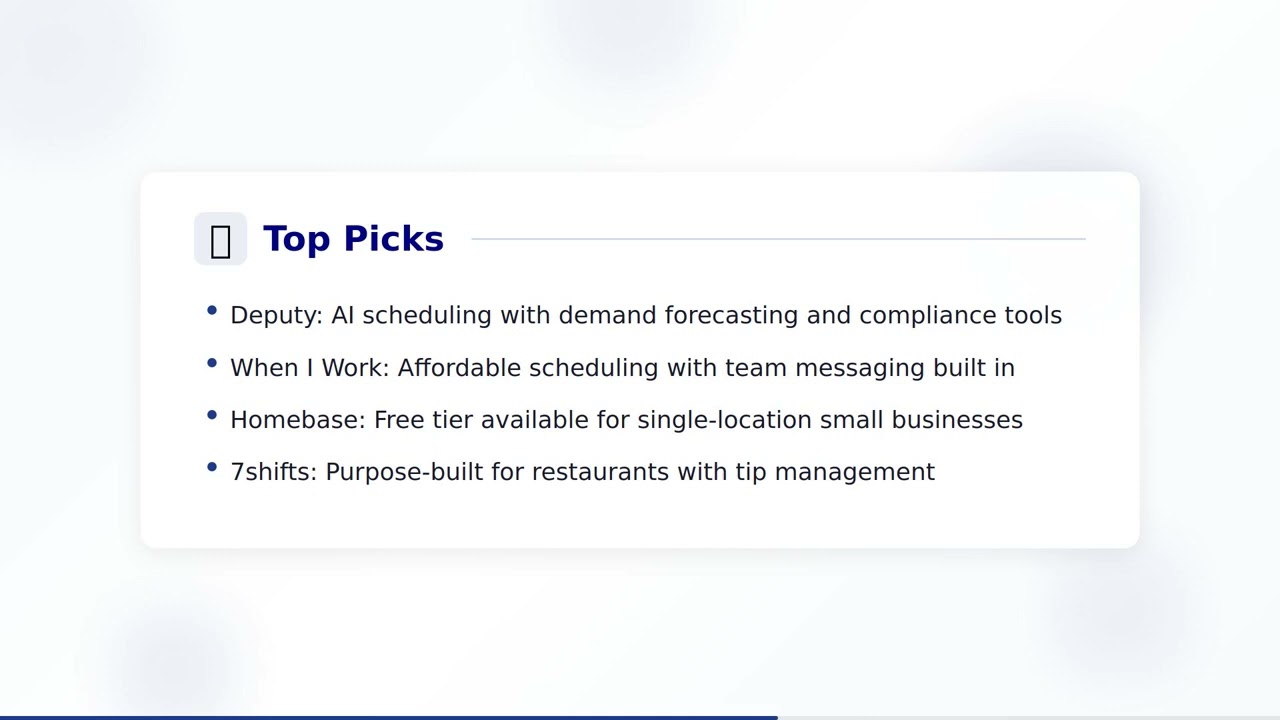
Watch: Employee Scheduling Software Guide
Comparison Criteria
Pricing
$ = Budget (Under $5/user/mo)
$$ = Mid-range ($5-15/user/mo)
$$$ = Premium ($15-25/user/mo)
$$$$ = Enterprise (Custom pricing)
User Rating
Based on verified reviews across G2, Capterra, and TrustRadius platforms. Rating out of 5.
Usability
Ease of use rating based on user interface intuitiveness, onboarding experience, and admin complexity.
Company Size
The ideal organization size where the solution performs best based on features, scalability, and pricing.
1. Deputy
- AI-powered auto-scheduling
- Time and attendance tracking
- Leave management
- Task management
- Compliance and fair workweek tools
- Limited reporting in basic tier
- No built-in payroll
- Integration setup can be complex
- Higher price for premium features
2. When I Work
- Drag-and-drop scheduling
- Shift swapping and coverage
- Team messaging
- Time clock with GPS
- Labor cost forecasting
- Limited advanced reporting
- Basic integrations
- No built-in payroll processing
- Customer support can be slow
3. Homebase
- Free scheduling for one location
- Time tracking with clock-in/out
- Team communication
- Hiring and onboarding tools
- Payroll integration
- Advanced features behind paywall
- Limited enterprise scalability
- Basic reporting in free tier
- Fewer integrations than competitors
4. Connecteam
- All-in-one employee app
- GPS time clock
- Smart scheduling
- Forms and checklists
- Training and onboarding
- Desktop experience less polished
- Learning curve for full feature set
- Some features only in higher tiers
- Limited third-party integrations
5. Sling
- Shift scheduling and templates
- Time tracking
- Labor cost management
- Task management
- Internal messaging
- Limited auto-scheduling
- Basic reporting
- No built-in payroll
- Free plan has limited features
6. 7shifts
- Restaurant-specific scheduling
- Tip pooling and management
- Labor compliance tools
- POS integrations
- Demand-based scheduling
- Primarily restaurant focused
- Limited use outside food service
- Higher pricing for multi-location
- Some features require premium plan
7. Shiftboard
- Complex scheduling rules engine
- Credential and certification tracking
- Demand-driven scheduling
- Compliance automation
- Workforce analytics
- Steeper learning curve
- Higher cost for small teams
- Implementation takes time
- UI feels dated
8. Workforce.com
- AI labor demand forecasting
- Unified scheduling-to-payroll
- Compliance management
- Real-time labor analytics
- Multi-location management
- Premium pricing
- Complex initial setup
- Requires training for admins
- Better suited for larger teams
9. Humanity (TCP)
- Auto-scheduling with rules
- Shift trading
- Leave management
- Demand forecasting
- API and integrations
- UI could be more modern
- Limited free trial
- Some features buried in menus
- Customer support response times
10. Planday
- Shift planning and templates
- Revenue-based scheduling
- Payroll integration
- Employee self-service
- Multi-location support
- Limited North American presence
- Fewer integrations than US competitors
- Basic reporting in starter tier
- No built-in time clock in basic plan
How to Select the Right Employee Scheduling Software
Understand Your Scheduling Complexity
Before evaluating software, assess the complexity of your scheduling needs. Consider the number of locations, shift patterns, employee roles, and compliance requirements you manage. A single-location retail store has very different needs than a multi-site healthcare organization with rotating shifts and credential tracking. Understanding your complexity level will help you choose between simple drag-and-drop tools and advanced rules-based scheduling engines.
Prioritize Mobile Experience
For most hourly and shift-based workforces, the mobile experience is critical. Employees need to view schedules, swap shifts, request time off, and clock in from their phones. Evaluate each platform's mobile app ratings and functionality. The best scheduling tools provide a seamless mobile experience that keeps your team informed and engaged without requiring them to be at a computer.
Evaluate Integration Capabilities
Employee scheduling doesn't exist in a vacuum. Your chosen platform should integrate with payroll systems, POS platforms, HR software, and communication tools your team already uses. Seamless integrations reduce manual data entry, minimize errors, and create a unified workflow from scheduling through to payroll processing. Check for native integrations with your existing tech stack before committing.
Consider Auto-Scheduling Intelligence
Auto-scheduling features can save managers hours of work each week. However, not all auto-scheduling is created equal. Some platforms use basic availability matching, while others leverage AI to optimize schedules based on demand forecasts, employee preferences, skills, certifications, and labor budgets. If scheduling efficiency is a priority, closely evaluate how each platform's auto-scheduling works and how much manual adjustment is typically needed.
Assess Compliance and Labor Law Support
Labor law compliance is increasingly complex, with fair workweek regulations, predictive scheduling laws, and overtime rules varying by jurisdiction. The right scheduling software should help you stay compliant automatically by flagging violations before schedules are published, tracking required breaks and rest periods, and generating compliance reports. This is especially important for businesses operating across multiple states or countries with different regulations.
Current Trends in Employee Scheduling Technology
AI-Powered Demand Forecasting
Advanced scheduling platforms are leveraging artificial intelligence to predict staffing needs based on historical data, weather patterns, local events, and sales trends. This allows businesses to build schedules that match actual demand, reducing both overstaffing costs and understaffing risks. AI forecasting is especially valuable in retail, hospitality, and healthcare where demand fluctuates significantly.
Employee Self-Service and Autonomy
Modern scheduling tools are shifting power to employees by enabling self-service features like shift swapping, open shift claiming, availability management, and time-off requests — all without manager intervention. This trend improves employee satisfaction and retention while reducing the administrative burden on managers. Platforms that balance employee autonomy with operational guardrails are leading the market.
Unified Workforce Platforms
The trend toward all-in-one workforce management platforms continues to accelerate. Businesses are seeking solutions that combine scheduling, time tracking, communication, task management, and payroll into a single platform. This consolidation reduces software costs, eliminates data silos, and provides a unified experience for both managers and employees, particularly for deskless and frontline workers.
Fair Workweek Compliance Automation
As fair workweek and predictive scheduling laws expand to more cities and states, scheduling software is evolving to automate compliance. Modern platforms can enforce advance notice requirements, calculate predictability pay premiums, manage right-to-rest periods, and generate audit-ready compliance reports. This automation is becoming a must-have feature for businesses in regulated industries and jurisdictions.
Real-Time Labor Analytics
Scheduling platforms are becoming more data-driven, offering real-time dashboards that show labor costs as a percentage of revenue, overtime trends, schedule adherence, and productivity metrics. These analytics enable managers to make informed decisions about staffing levels and identify opportunities to optimize labor spend. Businesses that leverage these insights can reduce labor costs by 5-10% while maintaining service levels.
Mobile-First Design for Deskless Workers
With over 80% of the global workforce being deskless, scheduling tools are increasingly designed with a mobile-first approach. The newest platforms offer full functionality through mobile apps including schedule viewing, shift management, team communication, document access, and training modules. This approach ensures that frontline workers have the same quality of technology experience as their desk-based counterparts.
Frequently Asked Questions About Employee Scheduling Software
What is employee scheduling software and how does it work?
Employee scheduling software is a digital tool that helps managers create, manage, and distribute work schedules for their teams. It works by allowing managers to assign shifts based on employee availability, skills, and labor laws. Most modern platforms include features like drag-and-drop scheduling, auto-scheduling powered by AI, shift swapping, time tracking, and mobile access so employees can view their schedules and request changes from anywhere.
What are the key features to look for in scheduling software?
The most important features to look for include: auto-scheduling or AI-powered schedule generation, mobile access for employees and managers, shift swapping and open shift management, time and attendance tracking, labor cost forecasting and budget controls, compliance tools for labor law adherence, integrations with payroll and POS systems, team communication and notifications, and reporting and analytics dashboards.
How much does employee scheduling software cost?
Employee scheduling software pricing varies widely based on the platform and features needed. Budget options like Sling and Homebase offer free tiers for basic scheduling. Mid-range tools like Deputy, When I Work, and Planday typically cost between $2 to $5 per user per month. Premium and enterprise solutions like Shiftboard and Workforce.com often use custom pricing that can range from $5 to $15+ per user per month depending on the features and scale required.
Can scheduling software help with labor law compliance?
Yes, many employee scheduling software platforms include built-in compliance features. These tools can help enforce fair workweek laws, overtime regulations, mandatory break periods, and minimum rest time between shifts. Platforms like Deputy and Shiftboard offer compliance automation that alerts managers before they create schedules that violate local or federal labor laws, helping businesses avoid costly penalties and ensure fair treatment of employees.
Is auto-scheduling better than manual scheduling?
Auto-scheduling offers significant advantages over manual scheduling for most businesses. It reduces the time managers spend creating schedules by up to 80%, minimizes scheduling conflicts, accounts for employee availability and preferences automatically, and optimizes labor costs by matching staffing levels to demand. However, manual adjustments are still often needed for special circumstances. The best approach is typically a hybrid one where auto-scheduling handles the bulk of the work and managers fine-tune as needed.
Need Help Selecting the Right Employee Scheduling Software?
Our HR technology experts can provide personalized recommendations based on your organization's scheduling complexity, workforce size, compliance requirements, and integration needs.